More headspace, more resilience, still your IT team
2nd October 2026
We’re upgrading your Cyber Awareness Training experience to a new and improved platform.
Here’s what you need to look out for in your inbox and in your new and upgraded portal.
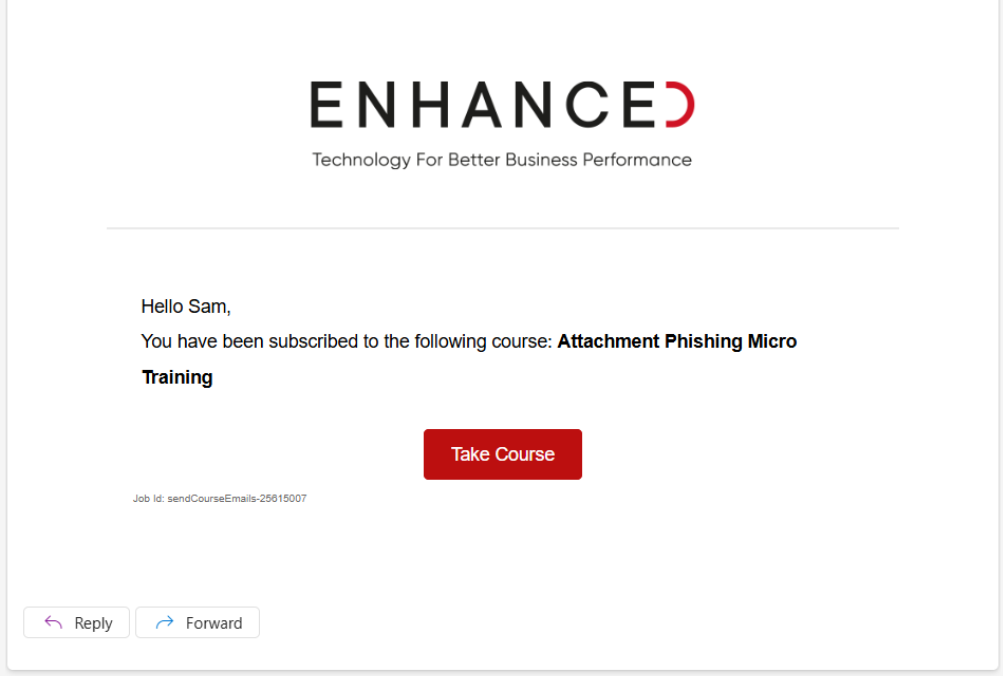
If you fail a cyber awareness training exercise or are assigned a new course, you will receive an email from Enhanced Cyber Awareness Training similar to the example shown below.
This email will:
Selecting Take Course will take you directly into the training, without needing to sign in or remember a password. This is the quickest way to complete your assigned training.
If you would like to view the main Enhanced Cyber Awareness Training portal, including your overall progress and any other courses:
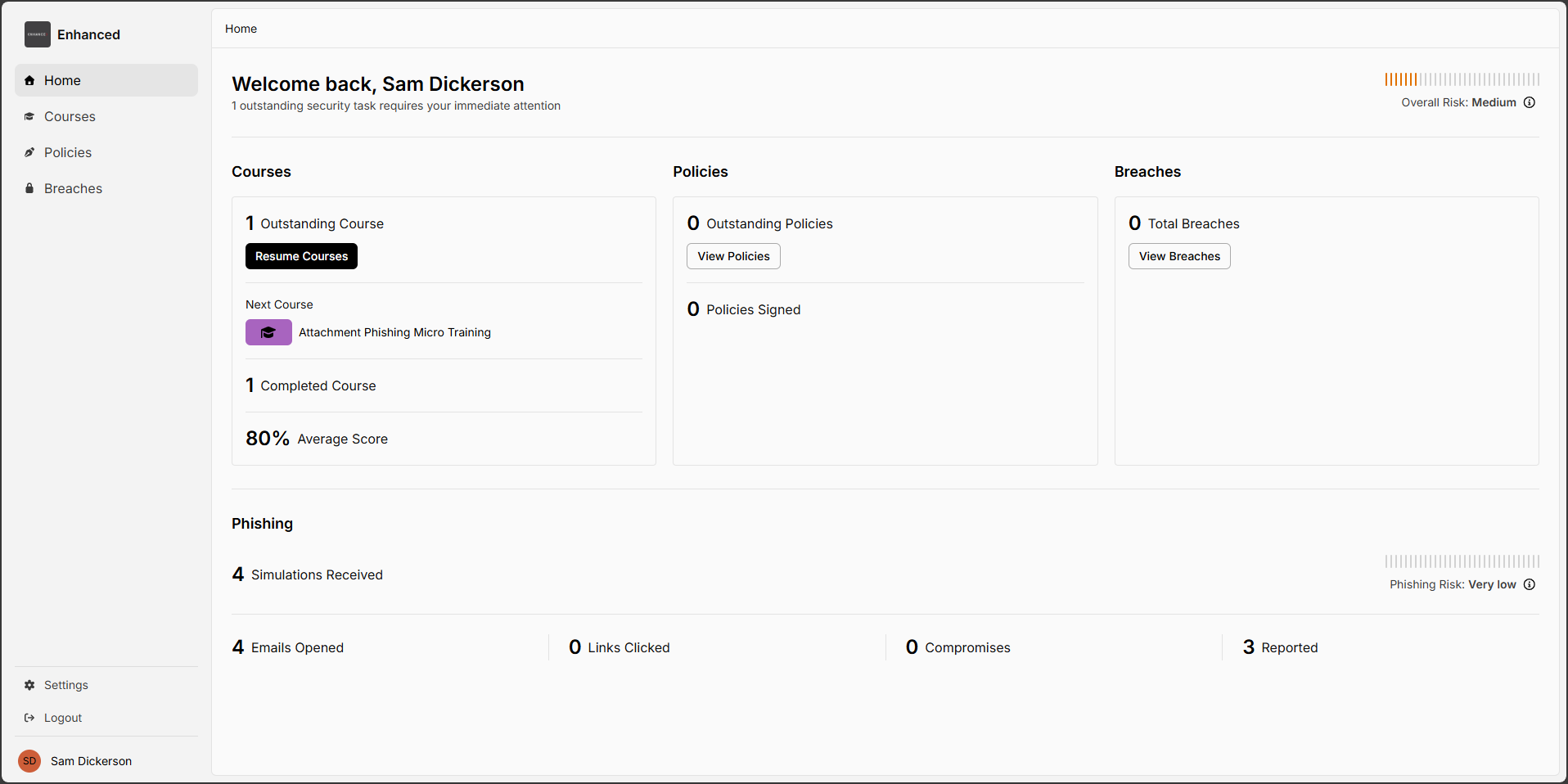
When you log in to the Enhanced Cyber Awareness Training portal, you will land on the Home dashboard. This page provides a clear, at-a-glance view of your current cyber awareness status.
On the dashboard you will see:
These sections are designed to help you quickly understand whether you have any actions to complete and how you are performing overall.
To view your training in more detail, select Courses from the menu on the left-hand side.
On the Courses page:
If you have no outstanding courses, this will be clearly shown on the right-hand side of the page, confirming that your required training is up to date.
